
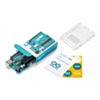
Arduino Uno R3
In stock, ships same business day if ordered before 2PM
Fastest delivery: Tomorrow*
Disclaimer:
For next-day delivery, the shipping address must
be in the AusPost next-day network, eParcel Express must be selected, and the order must be placed
before 2PM AEST Mon-Thurs excluding NSW Public Holidays. Orders may be delayed due to AusPost
pickup timings and order verifications. eParcel Express is typically a 1-day service within the
AusPost next-day network, though it is sometimes 2+ days.
Quantity Discounts:
- 5+ $43.67 (exc GST)
- 25+ $42.78 (exc GST)
- 50+ $41.89 (exc GST)
Recommended Essentials:

$0.99 inc GST

$6.40 inc GST

$5.25 inc GST
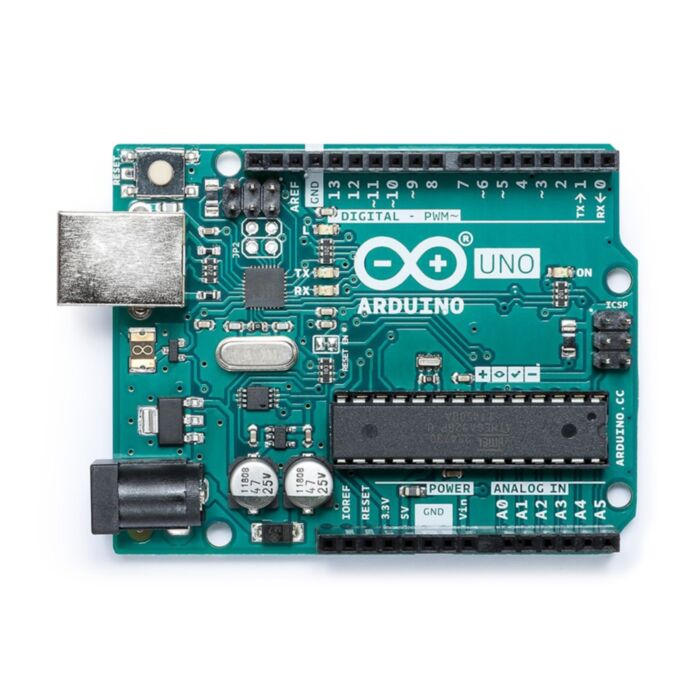
The Arduino Uno is an 8-bit microcontroller board based on the ATmega328 chip (see the datasheet). It has 14 digital input/output pins (6 of these can also utilize the ADC onboard for PWM), 6 analog inputs, a 16 MHz ceramic resonator, a USB Type-B connector, a DC Barrel jack for power, an ICSP header and a reset button on board! It contains everything needed to support the microcontroller.
"Uno" means one in Italian and is this board was named as such to mark the then upcoming release of The Arduino IDE 1.0. The Uno and version 1.0 are the current reference versions of Arduino. The Uno is the easily the most popular Arduino Board, being featured in almost every microcontroller beginner kit with Arduino products in them.
Features
ATMega328P Processor
Memory
- AVR CPU at up to 16 MHz
- 32 kB Flash
- 2 kB SRAM
- 1 kB EEPROM
Security
- Power On Reset (POR)
- Brown Out Detection (BOD)
Peripherals
- 2x 8-bit Timer/Counter with a dedicated period register and compare channels
- 1x 16-bit Timer/Counter with a dedicated period register, input capture and compare channels
- 1x USART with fractional baud rate generator and start-of-frame detection
- 1x controller/peripheral Serial Peripheral Interface (SPI)
- 1x dual-mode controller/peripheral I2C
- 1x Analog Comparator (AC) with a scalable reference input
- Watchdog Timer with separate on-chip oscillator
- Six PWM channels
- Interrupt and wake-up on pin change
ATMega16U2 Processor
- 8-bit AVR® RISC-based microcontroller
Physical Characteristics
- Maximum PCB dimensions: 68.6 mm long × 53.3 mm wide
- Spacing between digital pins 7 and 8: 4.06 mm
- Standard spacing between the other pins: 2.54 mm
Memory
- 16 kB ISP Flash
- 512 B EEPROM
- 512 B SRAM
- debugWIRE interface for on-chip debugging and programming
Power
- 2.7–5.5 V
Input and Output
Each of the 14 digital pins on the Uno uses 5V logic. Each pin can provide or receive a maximum of 40 mA and has an internal pull-up resistor (disconnected by default) of 20-50 kOhms. Control of the nature of each pin takes place within the IDE.
Some of the IO pins have extra functionality:
- Serial: 0 (RX) and 1 (TX). Used to receive (RX) and transmit (TX) TTL serial data. These pins are connected to the corresponding pins of the ATmega8U2 USB-to-TTL Serial chip.
- External Interrupts: 2 and 3. These pins can be configured to trigger an interrupt on a low value, a rising or falling edge, or a change in value. See the attachInterrupt() function for details.
- PWM: 3, 5, 6, 9, 10, and 11. Provide 8-bit PWM output with the analogWrite() function.
- SPI: 10 (SS), 11 (MOSI), 12 (MISO), 13 (SCK). These pins support SPI communication using the SPI library.
- LED: 13. There is a built-in LED connected to digital pin 13. When the pin is HIGH value, the LED is on, when the pin is LOW, it's off. The Uno has 6 analog inputs, labeled A0 through A5, each of which provides 10 bits of resolution (i.e. 1024 different values). By default they measure from ground to 5 volts, though is it possible to change the upper end of their range using the AREF pin and the analogReference() function. Additionally, some pins have specialized functionality:
- TWI: A4 or SDA pin and A5 or SCL pin. Support TWI communication using the Wire library. There are a couple of other pins on the board:
- AREF. The reference voltage for the analog inputs. Used with analogReference().
- Reset. Bring this line LOW to reset the microcontroller. Typically used to add a reset button to shields which block the one on the board.
Shipping List
- Official Arduino Uno R3
- Plastic Uno Mount
- Arduino Sticker Sheet
Related Documents
Exact shipping can be calculated on the view cart page (no login required).
Products that weigh more than 0.5 KG may cost more than what's shown (for example, test equipment, machines, >500mL liquids, etc).
We deliver Australia-wide with these options (depends on the final destination - you can get a quote on the view cart page):
- $3+ for Stamped Mail (typically 10+ business days, not tracked, only available on selected small items)
- $7+ for Standard Post (typically 6+ business days, tracked)
- $11+ for Express Post (typically 2+ business days, tracked)
- Pickup - Free! Only available to customers who live in the Newcastle region (must order online and only pickup after we email to notify you the order is ready). Orders placed after 2PM may not be ready until the following business day.
Non-metro addresses in WA, NT, SA & TAS can take 2+ days in addition to the above information.
Some batteries (such as LiPo) can't be shipped by Air. During checkout, Express Post and International Methods will not be an option if you have that type of battery in your shopping cart.
International Orders - the following rates are for New Zealand and will vary for other countries:
- $12+ for Pack and Track (3+ days, tracked)
- $16+ for Express International (2-5 days, tracked)
If you order lots of gear, the postage amount will increase based on the weight of your order.
Our physical address (here's a PDF which includes other key business details):
40 Aruma Place
Cardiff
NSW, 2285
Australia
Take a look at our customer service page if you have other questions such as "do we do purchase orders" (yes!) or "are prices GST inclusive" (yes they are!). We're here to help - get in touch with us to talk shop.
Have a product question? We're here to help!
 Jumper Wire 20cm Ribbon (M/M, 40pcs)SKU: CE08574 Brand: Core Electronics
Jumpstart your electronics project with a pack of 40, 20cm male-to-male jumpe ...
- Arduino UNO Q - 2GBSKU: ABX00162 Brand: Arduino
Combining a high-performance Linux CPU with real-time control - capable of ru ...
- Uno R3SKU: CE05629 Brand: Core ElectronicsThe Uno is a microcontroller board based on the ATmega328. It has 14 digital inp ...
- Arduino UNO R4 WiFiSKU: ABX00087 Brand: ArduinoThe Arduino UNO R4 WiFi merges the RA4M1 microprocessor from Renesas with the ES ...


- Jumper Wire 20cm Ribbon (M/M, 40pcs)SKU: CE08574 Brand: Core Electronics
Jumpstart your electronics project with a pack of 40, 20cm male-to-male jumpe ...
- Professional Solderless Breadboard BB400 - 400 tie points (Metal Backing Plate)SKU: CE07064BreadBoard-400 is a solderless (plug-in) breadboard with 400 connection tie-poin ...
- USB A to B cableSKU: CE07761 Brand: Core ElectronicsThis USB A to B cable is perfect for connecting microcontrollers to your PC, wit ...
- USB Cable A-B for ArduinoSKU: FIT0056 Brand: DFRobotStandard issue USB 2.0 cables. This is the most common A to B Male/Male type per ...


Videos
View AllGuides

Detect and Track Humans with mmWave Radar on an Arduino
How to Control a Water Pump with an Arduino

How to add GPS to Your Arduino | Add Real-Time Location to Your Project!
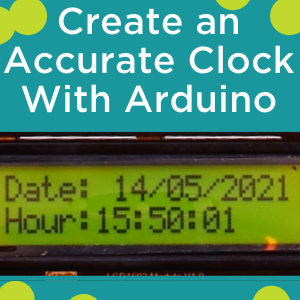
How to use a RTC With an Arduino UNO R3 to Create an Accurate Clock (LCD Screen and Nixie Tubes)
Projects
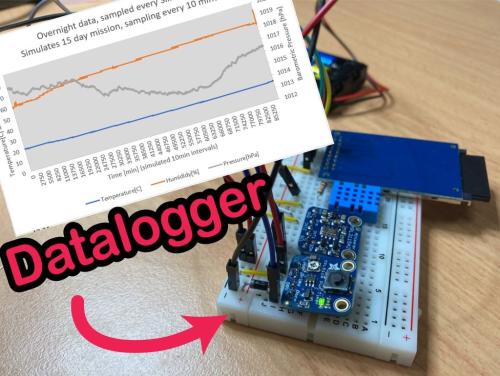
Datalogging Weather Station (Battery Powered)

Automatic Bike Indicators
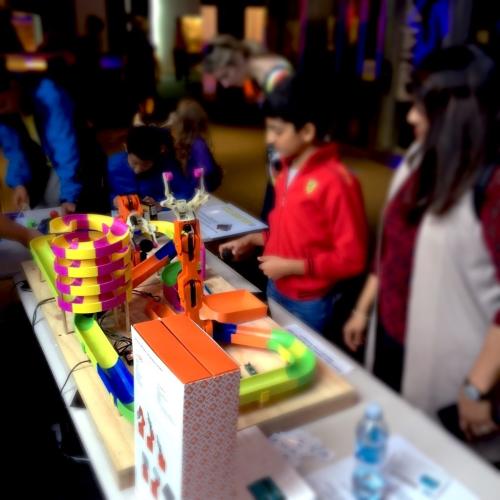
The Hipster Coaster
Educational Workshops

Arduino Workshop for Beginners

Makers love reviews as much as you do, please follow this link to review the products you have purchased.
Product Comments