
Waveshare 7inch QLED HDMI Display with Adapter Board (1024 × 600, Non-Touch)
A 3.5 mm-thick 1024 × 600 QLED panel covering 78% of NTSC colour, made for slim enclosures, control panels and embedded builds.
Available with a lead time
Expect dispatch between Nov 23 and Nov 30
A 7-inch, 1024 × 600 QLED display that takes HDMI video, power and control signals over a single 40-pin FPC cable. It comes with an adapter board and cables, so you can run it from a Raspberry Pi, Jetson Nano or Windows PC.
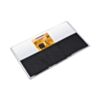
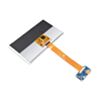
The driver circuit sits on the flexible cable behind the panel (a chip-on-film design), so the whole module is only 3.5 mm thick. The QLED panel covers 78% of the NTSC colour space and 92% of sRGB at 350 cd/m², a wider colour range than the 45% NTSC of the IPS version of this screen.
The adapter board turns a full-size HDMI input and a USB-C power input into the panel's FPC connection. Its header exposes 5 V in, 3.3 V out, ground, and backlight enable and PWM pins for dimming from your own hardware. Use the adapter board for first power-up and testing. Once your project is proven, the published adapter schematic lets you design your own carrier or route the 40-pin FPC directly into your own PCB.
It works with any Windows, Linux or Android board that has an HDMI output. The Waveshare wiki covers setup for Windows 7 to 11, Raspberry Pi OS, Ubuntu, Kali and RetroPie. A few limits to know: this version has no touch input; it needs a 5 V supply of at least 500 mA, and a weak USB port can make the screen flicker (a 5 V 1 A supply fixes it); and the display shouldn't be connected or disconnected while powered.
Features
Fits slim cases and panel cut-outs, because the driver circuit is mounted on the FPC instead of on a board behind the panel
Shows web and photo content close to its intended colour, covering 92% of the sRGB colour space
Holds its colour through long installations, rated by Waveshare for up to 60,000 hours without colour degradation
Readable from off-axis positions with a 170° viewing angle and 350 cd/m² brightness
Simpler wiring in embedded builds, because one 40-pin FPC carries HDMI signals, power and backlight control
Dim the screen or cut power use with PWM backlight control: 0–3.3 V on the adapter's PWM pin, with 0 V the brightest
Connects to any board or PC with an HDMI output through the adapter's full-size HDMI port, and the included micro HDMI adapter suits boards with a micro HDMI port, such as Raspberry Pi 4 and 5 (changing the resolution in config.txt is required)
Runs from a 5 V 1 A supply, with a rated power draw of 2.15 W
Specifications: 7-inch QLED HDMI Display (Non-Touch)
Property | Specification |
|---|---|
Display Size | 7-inch |
Panel | QLED |
Resolution | 1024 × 600 |
Touch | None (non-touch version) |
Viewing Angle | 170° |
Colour Gamut | 78% NTSC, 92% sRGB |
Brightness | 350 cd/m² |
Contrast | 800:1 |
Colour Depth | 16.7M colours |
Refresh Rate | 60 Hz |
Active Area | 154.21 × 85.92 mm |
Pixel Pitch | 0.1506 × 0.1432 mm |
Module Dimensions | 164 × 97 × 3.5 mm |
Panel Weight | 106 g |
Display Interface | 40-pin FPC, 0.5 mm pitch (HDMI TMDS, power, I2C/DDC, CEC, HPD, USB, backlight EN/PWM) |
Backlight Control | PWM, 0–3.3 V (0 V brightest, 3.3 V darkest) |
Adapter Board | Full-size HDMI input, USB-C, 40-pin FPC connector; header with 5 V, 3.3 V, GND, EN, PWM |
Input Voltage | 5 V (4.75–5.25 V) |
Supply Current | 500 mA minimum (less causes startup failure or abnormal display) |
3.3 V Output | 200 mA max |
Power Consumption | 2.15 W |
Operating Temperature | −10 °C to 70 °C |
Storage Temperature | −20 °C to 80 °C |
Operating Humidity | 10–90% RH |
Resources
Waveshare Wiki (setup, pinout, EDID timing, adapter board schematic, dimension and 3D drawings)
What's Included
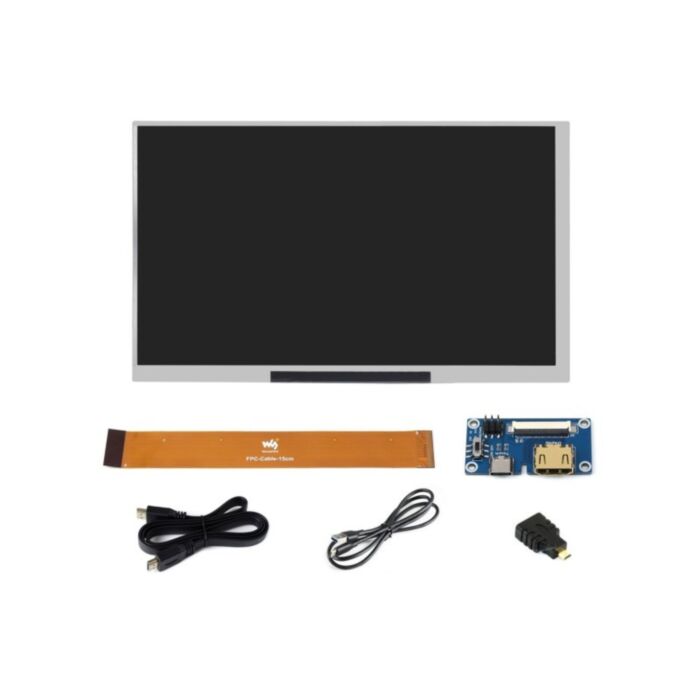
1x 7-inch QLED display
1x 40-pin FPC cable (approx. 15 cm)
1x HDMI adapter board
1x HDMI cable (full-size to full-size)
1x USB-A to USB-C cable
1x HDMI to micro HDMI adapter
Exact shipping can be calculated on the view cart page (no login required).
Products that weigh more than 0.5 KG may cost more than what's shown (for example, test equipment, machines, >500mL liquids, etc).
We deliver Australia-wide with these options (depends on the final destination - you can get a quote on the view cart page):
- $3+ for Stamped Mail (typically 10+ business days, not tracked, only available on selected small items)
- $7+ for Standard Post (typically 6+ business days, tracked)
- $11+ for Express Post (typically 2+ business days, tracked)
- Pickup - Free! Only available to customers who live in the Newcastle region (must order online and only pickup after we email to notify you the order is ready). Orders placed after 2PM may not be ready until the following business day.
Non-metro addresses in WA, NT, SA & TAS can take 2+ days in addition to the above information.
Some batteries (such as LiPo) can't be shipped by Air. During checkout, Express Post and International Methods will not be an option if you have that type of battery in your shopping cart.
International Orders - the following rates are for New Zealand and will vary for other countries:
- $12+ for Pack and Track (3+ days, tracked)
- $16+ for Express International (2-5 days, tracked)
If you order lots of gear, the postage amount will increase based on the weight of your order.
Our physical address (here's a PDF which includes other key business details):
40 Aruma Place
Cardiff
NSW, 2285
Australia
Take a look at our customer service page if you have other questions such as "do we do purchase orders" (yes!) or "are prices GST inclusive" (yes they are!). We're here to help - get in touch with us to talk shop.
Have a product question? We're here to help!
 Super Bright Green 5mm LED (25 pack)SKU: ADA300 Brand: AdafruitNeed some really bright LEDs? Adafruit are big fans of these clear green LEDs, i ...
- LED - Super Bright GreenSKU: COM-08285 Brand: SparkfunThese are very bright LEDs. The LEDs are so bright that it hurts to look directl ...
- Pololu 3.3V Step-Up/Step-Down Voltage Regulator S7V8F3SKU: POLOLU-2122 Brand: PololuThe S7V8F3 switching step-up/step-down regulator efficiently produces a fixed 3. ...
- Arcade Button with LED - 30mm Translucent ClearSKU: ADA3491 Brand: AdafruitA button is a button, and a switch is a switch, but these translucent arcade but ...


Videos
View AllGuides
How to Set Up a Raspberry Pi Kiosk - Launch a Fullscreen Webpage on Boot!
Raspberry Pi 5 Vs Raspberry Pi 4 Model B | Comparison & Benchmarking
Raspberry Pi 5 | Review, Performance & Benchmarks
DFRobot 8.9 Inch 1920x1200 IPS Touch Display For Raspberry Pi - Set Up Guide
Projects
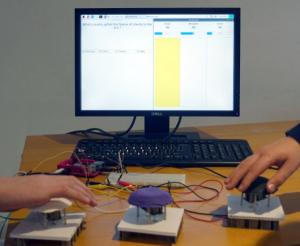
Raspberry Pi Game Show
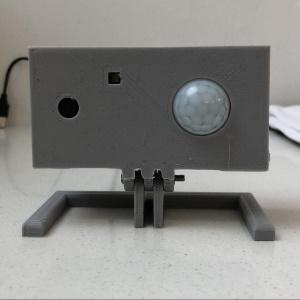
ESP32 IR-Triggered Camera with Home Assistant Integration

Raspberry Pi Rain Radar and Weather Display
Educational Workshops

Raspberry Pi Workshop for Beginners

Makers love reviews as much as you do, please follow this link to review the products you have purchased.
Product Comments