
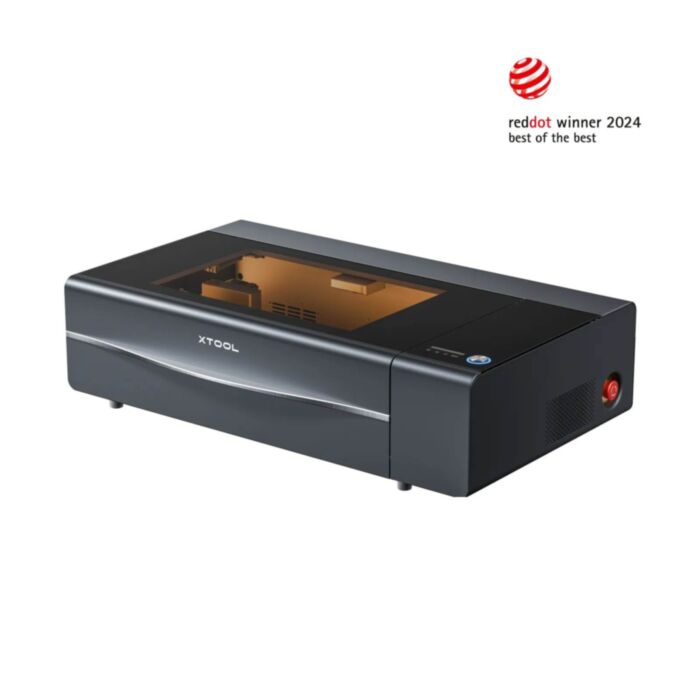






xTool P2S 55W Desktop CO2 Laser Cutter
Enclosed desktop laser cutter for precision cutting and vivid engraving, with camera-assisted alignment and motorised autofocus for repeatable jobs.
Available with a lead time
Expect dispatch between Dec 10 and Dec 11
Quantity Discounts:
- 3+ $5828.85 (exc GST)
- 5+ $5646.71 (exc GST)
This product incorporates a laser system. Before purchasing or using laser equipment (including modules, components, or complete machines such as laser cutters and engravers), please consider the following:
- These products are intended for professional, educational, industrial, or supervised workshop environments.
- Operators should be appropriately trained and understand laser safety practices, including enclosures, signage, PPE, and safe operating procedures where applicable.
A declaration of use will need to be submitted during checkout.
Bring pro-grade laser cutting and engraving to your bench with the xTool P2S. This enclosed, water‑cooled CO2 laser pairs a powerful 55W tube with effortless camera alignment and autofocus for fast, repeatable results on a wide range of materials. Whether you’re prototyping, crafting, or running small-batch production, the P2S delivers crisp cuts, high-contrast engraving, and a clean, classroom‑safe workflow—no tinkering required.
Features
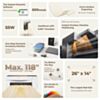
- 55W sealed CO2 laser - polished cuts in wood and acrylic, and vibrant engraving on leather, paper, rubber, and coated metals.
- All‑in‑one desktop design with integrated, closed‑loop water cooling, and a fully enclosed, light‑tight lid.
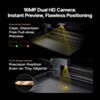
- Camera‑assisted alignment and motorized autofocus to place designs precisely and keep results consistent across jobs, no need to manually level.
- Safety‑first enclosure: interlock switches, emergency stop, lid‑open detection, and exhaust port for an external purifier/exhaust.
- Production‑friendly workflow: repeat jobs with saved settings, jigs/fixtures, and camera previews to minimize waste.
- Expandable ecosystem: add a conveyor feeder or riser base for oversized/overspec work, rotary tools for cylindrical items, and a smoke purifier for indoor use (all sold separately).
- Intuitive software: compatible with xTool Creative Space (XCS) on Windows/macOS; common vector/bitmap formats supported.
What’s in the box
- xTool P2S 55W Desktop CO2 Laser Cutter
- Power cable and exhaust hose with clamp
- Tool kit and accessory pack
- Quick start guide and sample materials
Technical Specifications
- Laser type: Sealed CO2, 55W output
- Wavelength: 10.6 µm
- Focus: Motorized autofocus; camera-assisted placement
- Cooling: Integrated closed‑loop water cooling
- Enclosure: Class 1 style, lid interlocks and E‑stop
- Software: xTool Creative Space (Windows/macOS). LightBurn support may vary; check current manufacturer guidance.
- Typical materials: Wood, acrylic, leather, paper/card, rubber stamp sheet, felt, fabric, cork, glass (surface etch), coated metals. Use marking compound for bare metals.
- Exhaust: Rear duct for external ventilation or optional smoke purifier
- Connectivity: USB
Recommended accessories
- xTool Smoke Purifier (or compatible ventilation)
- Conveyor Feeder and Riser Base (for long or tall workpieces)
- Rotary tool for mugs, tumblers, and curved objects
- Honeycomb panel, spare lenses/mirrors, and material starter packs
- Laser marking spray/paste for bare metals
Shipping:
- Pallet delivery: forklift unload from $200
- Pallet delivery: tailgate unload (pallet jack) from $350
- FREE Pickup (Newcastle only)
Exact shipping can be calculated on the view cart page.
 NVIDIA Jetson Orin Nano Super Developer KitSKU: DEV-22098 Brand: NVIDIAThe NVIDIA® Jetson OrinTM Nano comprises of a Jetson Orin Nano 8GB module and a ...
- Carvera Air - Desktop CNC MachineSKU: CE10410 Brand: Makera
A compact, more customisable desktop CNC with a quick tool-changer, probe and ...
- Teensy 4.1SKU: DEV-16771 Brand: TeensyThe Teensy 4.1 is newest iteration of the astoundingly popular development platf ...
- PiicoDev LiPo Expansion Board for Raspberry Pi PicoSKU: CE07693 Brand: PiicoDev
The PiicoDev® LiPo Expansion Board for Raspberry Pi Pico is a great way to s ...


Videos
View AllGuides

xTool P3 First Time Cutting Quick Start Guide

Setting Up Your xTool P3 | From Unboxing to First Cut

xTool P3 Overview | A New Standard for Making?

The Maker Revolution
Projects
AI-Assisted Workstation
The Rats Nest VCC Desktop Power Supply

Remote-Controlled Mars Rover

Makers love reviews as much as you do, please follow this link to review the products you have purchased.
Product Comments