
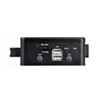
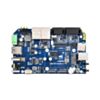
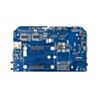
Waveshare IPCBOX-B Industrial Computer for Raspberry Pi CM5 - Dual Ethernet, 2x RS485 + 2x RS232
Turn a Compute Module 5 into a DIN-rail mountable industrial controller with dual Ethernet, isolated serial and 4G-ready expansion.
Available with a lead time
Expect dispatch between Nov 02 and Nov 09
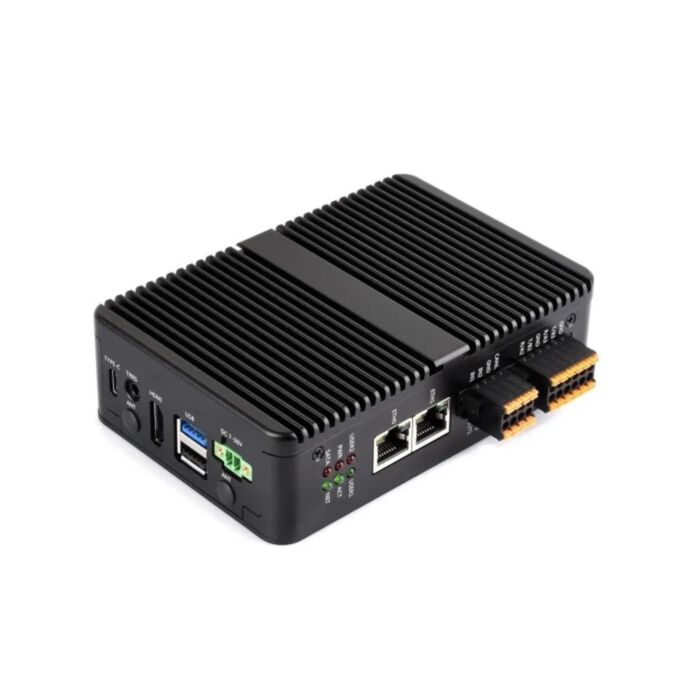
Drop a Raspberry Pi Compute Module 5 into a sealed aluminium enclosure, and you have a deployable industrial controller - one that speaks Modbus over RS485, talks to gear over RS232, and puts two independent Ethernet ports on the front panel.
The wide-range power input is what makes this practical outside a lab. A 7V~36V screw terminal accepts whatever DC rail is already in the cabinet, so there is no need to find space for a mains adapter. A 5V 5A USB-C port is there for bench work.
Networking is split across a Gigabit and a 2.5GbE RJ45 port, which is enough to bridge an isolated plant network to the site LAN without adding a switch. An M.2 B key slot and nano SIM socket take a 4G or 5G module for sites with no wired backhaul, and a separate M.2 M key slot allows for booting the system from an NVMe drive rather than an SD card or eMMC.
Note that the Compute Module 5 is not included, and neither is a power supply — choose the CM5 variant and DC supply that suit your deployment.
Features
-
Deploys straight into a cabinet — 7V~36V wide-range screw terminal input means no mains adapter or separate DC-DC conversion stage
-
Bridges two networks without a switch, thanks to independent 1000M and 2500M Ethernet PHYs
-
Talks to both modern and legacy plant equipment: 2x RS485 and 2x RS232, plus a 1Mbps CAN interface
-
Survives cabinet temperatures — the aluminium alloy case conducts heat across its full area into external fins, with a 5V PWM fan header if forced air is needed
-
Adds cellular backhaul via the M.2 B key slot and nano SIM socket, for sites with no fixed line
-
Boots from NVMe rather than TF card via the M.2 M key slot (2230 / 2242, NVMe protocol only), removing the usual SD card wear problem
-
Mounts two ways - a rail-mount buckle is included and 75x75 VESA holes are present
-
Drives a 4K display over HDMI, so the same unit serves as an HMI
-
Interfaces to discrete plant signals with 2 digital inputs and 2 digital outputs, plus a controllable buzzer
-
Onboard EEPROM and encryption chip for device identity and secure provisioning
-
120R jumpers select RS485 and CAN termination without opening a terminal block
Specifications
|
Property |
Specification |
|---|---|
|
CM5 socket |
Suitable for all variants of Compute Module 5 (not included) |
|
Networking |
1× 1000M Ethernet RJ45, 1× 2500M Ethernet RJ45 |
|
USB |
1× USB 3.2 Gen1, 3× USB 2.0 |
|
Video |
1× HDMI, 4K output supported |
|
M.2 M key |
PCIe Gen2/3 ×1, 2230 / 2242, NVMe protocol drives only |
|
M.2 B key |
Supports 4G / 5G communication modules, with nano SIM slot |
|
Storage |
TF card socket for Compute Module 5 Lite (no eMMC) variants |
|
Serial |
2× RS485 + 2× RS232; 1× CAN up to 1Mbps |
|
Digital I/O |
2× digital outputs, 2× digital inputs |
|
Audio |
3.5mm jack with microphone support, PH2.0 speaker header |
|
Fan header |
5V 4-pin JST-SH, PWM controlled |
|
RTC |
SH1.0 RTC battery header |
|
Other |
Controllable buzzer, onboard EEPROM and encryption chip, BOOT and PSW buttons, eMMC programming port |
|
Power input |
7V~36V screw terminal, or 5V 5A USB-C |
|
Dimensions |
136.0 × 92.0 × 39.5 mm |
Resources
What's Included
-
1x IPCBOX-CM5-B aluminium alloy case
-
1x CM5-IPC-BASE-A-2RS485 baseboard
-
4x black nylon spacers
-
1x screw pack
-
1x screwdriver
-
1x 6-pin 3.5mm pitch double-layer terminal block
-
1x 4-pin 3.5mm pitch double-layer terminal block
-
1x rail-mount buckle
-
1x thermal tape
A Raspberry Pi Compute Module 5, DC power supply, NVMe drive and 4G module are not included.
Exact shipping can be calculated on the view cart page (no login required).
Products that weigh more than 0.5 KG may cost more than what's shown (for example, test equipment, machines, >500mL liquids, etc).
We deliver Australia-wide with these options (depends on the final destination - you can get a quote on the view cart page):
- $3+ for Stamped Mail (typically 10+ business days, not tracked, only available on selected small items)
- $7+ for Standard Post (typically 6+ business days, tracked)
- $11+ for Express Post (typically 2+ business days, tracked)
- Pickup - Free! Only available to customers who live in the Newcastle region (must order online and only pickup after we email to notify you the order is ready). Orders placed after 2PM may not be ready until the following business day.
Non-metro addresses in WA, NT, SA & TAS can take 2+ days in addition to the above information.
Some batteries (such as LiPo) can't be shipped by Air. During checkout, Express Post and International Methods will not be an option if you have that type of battery in your shopping cart.
International Orders - the following rates are for New Zealand and will vary for other countries:
- $12+ for Pack and Track (3+ days, tracked)
- $16+ for Express International (2-5 days, tracked)
If you order lots of gear, the postage amount will increase based on the weight of your order.
Our physical address (here's a PDF which includes other key business details):
40 Aruma Place
Cardiff
NSW, 2285
Australia
Take a look at our customer service page if you have other questions such as "do we do purchase orders" (yes!) or "are prices GST inclusive" (yes they are!). We're here to help - get in touch with us to talk shop.
Have a product question? We're here to help!
 Raspberry Pi 5 Model B 4GBSKU: CE09785 Brand: Raspberry Pi
The 4GB Raspberry Pi 5 is the latest powerhouse in the Raspberry Pi lineup. I ...
- Raspberry Pi Zero 2 W (Wireless) with Soldered Male HeadersSKU: CE09937 Brand: Raspberry Pi
The Zero 2 W series - now with headers! Add a HAT or Bonnet easily and quickl ...
- Raspberry Pi 5 Model B 8GBSKU: CE09786 Brand: Raspberry Pi
The 8GB Raspberry Pi 5 is the latest powerhouse in the Raspberry Pi lineup. I ...
- Raspberry Pi Pico 2 WSKU: CE09995 Brand: Raspberry Pi
The Raspberry Pi Pico 2 W is a flexible microcontroller featuring integrated ...


Videos
View AllGuides
How to Set Up a Raspberry Pi Kiosk - Launch a Fullscreen Webpage on Boot!
Raspberry Pi 5 Vs Raspberry Pi 4 Model B | Comparison & Benchmarking
Raspberry Pi 5 | Review, Performance & Benchmarks

How to set up a PiHole on a Raspberry Pi - Block All Ads and More!
Projects

Identify Birds through Sound with a Raspberry Pi | BirdNET-Pi Project
ESP32 IR-Triggered Camera with Home Assistant Integration
Smart Mirror with Raspberry Pi
Educational Workshops
Raspberry Pi Workshop for Beginners

Makers love reviews as much as you do, please follow this link to review the products you have purchased.
Product Comments