
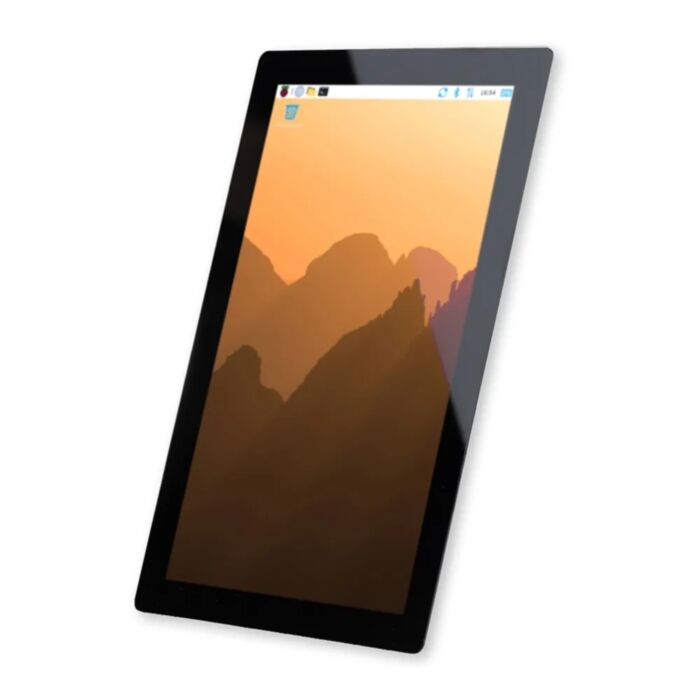
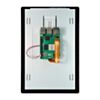
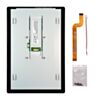
Raspberry Pi Touch Display 2 (10.1" Portrait)
A bigger take on Raspberry Pi's Touch Display 2 - more screen, more windows, and a premium 10.1 inch view for projects that need room to breathe.
In stock, ships same business day if ordered before 2PM
Delivered by Tue, 3rd of Nov
Quantity Discounts:
- 20+ $121.96 (exc GST)
Recommended Essentials:

Go big with the Raspberry Pi Touch Display 2 (10.1") - the larger sibling to the popular 7" Touch Display 2. This 10.1" portrait-native panel delivers a sharp 1200 × 1920 resolution across a generous active area, giving you dramatically more room for windows, dashboards and touch controls. With true ten-finger capacitive multi-touch and a wide 85-degree viewing angle, it turns a Raspberry Pi 5 or Compute Module build into a premium, tablet-class interface.
Specifications
| Display Size | 10.1" diagonal |
| Active Display Area | 135.36mm x 216.57mm |
| Resolution | 1200 x 1920 pixels (portrait-native) |
| Color Depth | 24-bit RGB |
| Touch Technology | True capacitive multi-touch, ten-finger support |
| Viewing Angle | 85 degrees |
| Dimensions | 167mm (W) x 248mm (L) x 8mm (H), excluding stand-offs |
| Weight | 482g |
Key Features
The generous 10.1" portrait-native screen and 1200 × 1920 resolution open up serious screen real estate for digital signage, information kiosks, control panels and interactive displays. The true multi-touch capacitive panel supports ten-finger touch, enabling intuitive multi-point gestures and a responsive, tablet-like experience for your projects.
The wide 85-degree viewing angle keeps the picture clear from multiple positions, making it well suited to both personal and public-facing applications.
The extra size also makes for more accessibility foccussed interfaces. Larger text, bigger buttons and more generous touch targets make it easier to read and tap.
An on-screen keyboard is available in an instant with Raspberry Pi OS Bookworm and later; the Squeekboard on-screen keyboard will automatically appear whenever a text field is detected.
Compatibility
Compatible with the Raspberry Pi 5 and Compute Module 5 (not included).
Compute Modules do not include a DSI connector or GPIO pins to connect to the display; it needs a carrier board.
This display is not compatible with the Raspberry Pi 1–4 or the Zero series - this screen uses all four DSI lanes, requiring the higher-bandwidth ribbon cable and new display connector only found on Raspberry Pi 5s and CM5s.
Installation
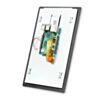
Getting the Touch Display 2 (10.1") up and running takes just two connections: GPIO for power and DSI for display. At 167mm x 248mm with a slim 8mm profile, it offers flexible mounting while keeping a professional appearance, and its 482g weight suits both portable and fixed installations.
For desk use, we recommend the Pibow Frame, a super convenient and clean looking stand for the Touch Display - available in Noir Black and Coupé Red.
Inside The Box
- Raspberry Pi Touch Display 2 (10.1")
- 8x M2.5 screws
- 22-way to 15-way FFC for Raspberry Pi 5
- GPIO connector cable for power
Resources

This product is listed in:
Raspberry Pi>DisplaysDisplays & Screens>HDMI, DSI & Composite
Raspberry Pi>Raspberry Pi 5>Raspberry Pi 5 Accessories
Exact shipping can be calculated on the view cart page (no login required).
Products that weigh more than 0.5 KG may cost more than what's shown (for example, test equipment, machines, >500mL liquids, etc).
We deliver Australia-wide with these options (depends on the final destination - you can get a quote on the view cart page):
- $3+ for Stamped Mail (typically 10+ business days, not tracked, only available on selected small items)
- $7+ for Standard Post (typically 6+ business days, tracked)
- $11+ for Express Post (typically 2+ business days, tracked)
- Pickup - Free! Only available to customers who live in the Newcastle region (must order online and only pickup after we email to notify you the order is ready). Orders placed after 2PM may not be ready until the following business day.
Non-metro addresses in WA, NT, SA & TAS can take 2+ days in addition to the above information.
Some batteries (such as LiPo) can't be shipped by Air. During checkout, Express Post and International Methods will not be an option if you have that type of battery in your shopping cart.
International Orders - the following rates are for New Zealand and will vary for other countries:
- $12+ for Pack and Track (3+ days, tracked)
- $16+ for Express International (2-5 days, tracked)
If you order lots of gear, the postage amount will increase based on the weight of your order.
Our physical address (here's a PDF which includes other key business details):
40 Aruma Place
Cardiff
NSW, 2285
Australia
Take a look at our customer service page if you have other questions such as "do we do purchase orders" (yes!) or "are prices GST inclusive" (yes they are!). We're here to help - get in touch with us to talk shop.
Have a product question? We're here to help!
 Raspberry Pi Touch Display 2 (7" Portrait)SKU: CE09978 Brand: Raspberry Pi
Display your projects proudly with the Raspberry Pi Touch Display 2, featurin ...
- Raspberry Pi 5 Model B 8GBSKU: CE09786 Brand: Raspberry Pi
The 8GB Raspberry Pi 5 is the latest powerhouse in the Raspberry Pi lineup. I ...
- Raspberry Pi 5 Model B 16GBSKU: CE10111 Brand: Raspberry Pi
The 16GB Raspberry Pi 5 packs the most power and onboard memory in the Raspbe ...
- Raspberry Pi 5 Active CoolerSKU: CE09791 Brand: Raspberry Pi
Unlock the untapped power of your Raspberry Pi 5 with our state-of-the-art Ac ...


- Raspberry Pi 5 Active CoolerSKU: CE09791 Brand: Raspberry Pi
Unlock the untapped power of your Raspberry Pi 5 with our state-of-the-art Ac ...
- Raspberry Pi 5 Model B 8GBSKU: CE09786 Brand: Raspberry Pi
The 8GB Raspberry Pi 5 is the latest powerhouse in the Raspberry Pi lineup. I ...
- PiicoDev Cable Expansion KitSKU: CE09146 Brand: PiicoDev
Top up your PiicoDev Starter kit with a range of the most used cables!
- Raspberry Pi 5 White Power Supply (Official) USB-C PD 5.1V 27WSKU: CE09787 Brand: Raspberry Pi
The official Power Supply needed to keep your Raspberry Pi 5 performing smoot ...


Videos
View AllGuides

Raspberry Pi AI HAT 1 vs AI HAT 2: Which Should You Buy?

YOLO Pose Estimation on the Raspberry Pi AI Hat+ | Writing Custom Python Code

YOLO Object Detection on the Raspberry Pi AI Hat+ | How to Write Custom Python Code
How to Set Up a Raspberry Pi Kiosk - Launch a Fullscreen Webpage on Boot!
Projects
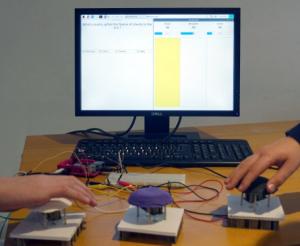
Raspberry Pi Game Show

Raspberry Pi Rain Radar and Weather Display

Rain Gauge Data Logger
Educational Workshops
Raspberry Pi Workshop for Beginners

Makers love reviews as much as you do, please follow this link to review the products you have purchased.
Product Comments