
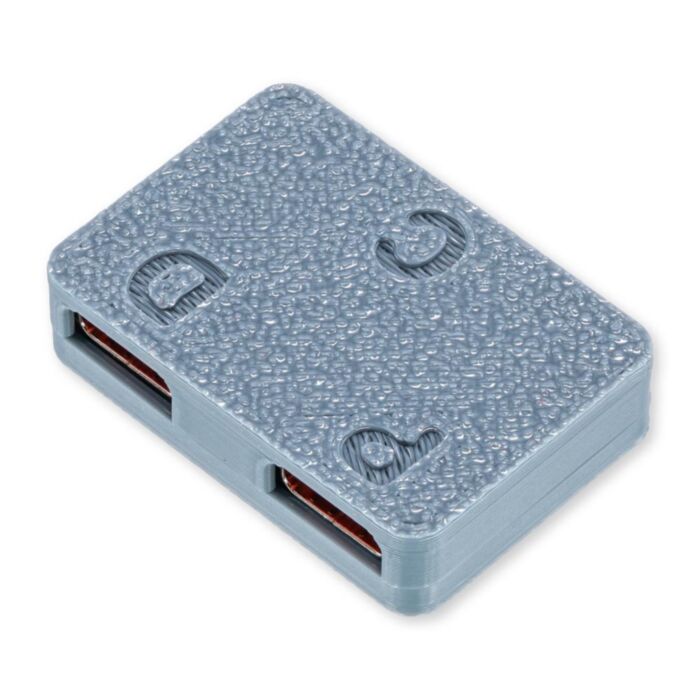
USB-C Splitter for AndroidAuto/CarPlay
Achieve rapid charging while using a wired Android Auto or CarPlay adapter that allows you to inject high-wattage USB-PD power into your connection, bypassing the low-current limits of standard head units.
Available with a lead time
Expect dispatch between Nov 05 and Nov 30
Quantity Discounts:
- 12+ $19.31 (exc GST)
A power injection adapter that gets around the low current of standard car USB ports. It splits your phone's USB-C connection into two paths: data goes to your car's head unit for wired Android Auto or CarPlay, and power comes from a separate high-power USB-C car charger.
For many drivers, wired Android Auto or CarPlay drains the battery over a trip. The phone uses power for navigation and mobile data faster than a low-current car USB port can replace it. This splitter lets your own charger handle the power while the car handles the data.
Your charger and phone negotiate charging directly with each other through the splitter, so supported phones can fast charge without the head unit getting in the way. The enclosure is PETG, which is heat resistant to approx. 70°C for use inside a car, and it has M2 mounting holes.
Wiring
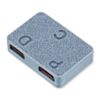
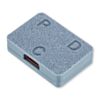
All three ports are USB-C female. The letters are printed on the board:
- D (Data): connect to your car's Android Auto / CarPlay USB port. A USB-A to USB-C data cable is fine here.
- P (Power): connect to a high-power "smart" USB-C car charger (e.g. USB PD or Quick Charge) using a USB-C to USB-C cable.
- C (Combined): connect to your phone using a data-capable USB-C to USB-C cable.
Once everything is connected, restart the head unit (or turn the ignition off and on), unlock your phone and accept any Android Auto / CarPlay prompts.
Before You Buy
- Your car must already support wired Android Auto or CarPlay. To check, plug your phone straight into the car without the splitter. If that doesn't work, the splitter won't either.
- You'll need a high-power USB-C car charger. For the fastest charging, choose one that supports USB PD/PPS or Quick Charge 4+. Chargers that only support older Quick Charge versions will still charge your phone, but at standard speed.
- Tested phones (supplier list): Samsung Galaxy S8 to S24 Ultra, iPhone X to iPhone 14 (Lightning), Google Pixel 6 Pro and Pixel 9 Pro.
- Reported not working: Motorola Edge 2021.
- iPhone 15 and later (USB-C) is not supported. These iPhones put fast charging ahead of data, so CarPlay disconnects once a higher-power source is detected. The manufacturer has reported some success using a genuine Apple USB-C to Lightning adapter with a USB-C to Lightning cable. We haven't tested this setup and don't support it.
- Phones with proprietary fast charging (e.g. Oppo SuperVOOC, OnePlus Warp) may switch off data when they negotiate a higher voltage. You may get Android Auto with standard-speed charging, but not fast charging and data together.
- Wireless Android Auto adapters: AAWireless (USB-C input) has been reported working. No USB-A wireless adapters have been reported working.
Setup Tips
- Keep the total data path (car → splitter → phone) at 1.8 m or less, e.g. two 0.9 m cables. Long or low-quality cables are the most common cause of dropouts.
- Don't mix 5A and 3A cables on the power side (P and C). A 3A cable can be overloaded if the phone draws more current than it's rated for.
- The order things power up in matters. If the charger powers your phone before the head unit has booted, the phone may stay in charge-only mode. Plug the phone in once the head unit is running, or turn the ignition off and on again.
Troubleshooting
- Charging, but no Android Auto/CarPlay: check that D goes to the car and C goes to the phone. Swapping P and C is the most common mistake. Also confirm that your phone cable supports data, not just charging.
- Slow charging or no charging: unplug the cable in the P port, rotate it 180° and plug it back in. Make sure P and C both use USB-C to USB-C cables, and check that your charger supports USB PD or Quick Charge 4+.
- Dropouts that come and go: shorten your cables and use quality, data-rated ones.
Specifications
| Property | Specification |
|---|---|
| D Port (To Car) | USB-C Female: USB 2.0 data (D+/D−) and GND only |
| P Port (Power Input) | USB-C Female: VBUS, GND, CC1/CC2 |
| C Port (To Phone) | USB-C Female: data + injected power |
| Current Rating | 5A (VBUS/GND path) |
| Charging Protocols | Passed through: the charger and phone negotiate over USB-C (e.g. PD, PPS, QC 4+) |
| Car-Side 5V | 5.1kΩ pull-downs on the D port request 5V from the car. This 5V is not passed to the phone |
| Max Data Path | 1.8 m total (car → splitter → phone) |
| Enclosure | PETG (heat resistant to approx. 70°C), M2 mounting holes |
Exact shipping can be calculated on the view cart page (no login required).
Products that weigh more than 0.5 KG may cost more than what's shown (for example, test equipment, machines, >500mL liquids, etc).
We deliver Australia-wide with these options (depends on the final destination - you can get a quote on the view cart page):
- $3+ for Stamped Mail (typically 10+ business days, not tracked, only available on selected small items)
- $7+ for Standard Post (typically 6+ business days, tracked)
- $11+ for Express Post (typically 2+ business days, tracked)
- Pickup - Free! Only available to customers who live in the Newcastle region (must order online and only pickup after we email to notify you the order is ready). Orders placed after 2PM may not be ready until the following business day.
Non-metro addresses in WA, NT, SA & TAS can take 2+ days in addition to the above information.
Some batteries (such as LiPo) can't be shipped by Air. During checkout, Express Post and International Methods will not be an option if you have that type of battery in your shopping cart.
International Orders - the following rates are for New Zealand and will vary for other countries:
- $12+ for Pack and Track (3+ days, tracked)
- $16+ for Express International (2-5 days, tracked)
If you order lots of gear, the postage amount will increase based on the weight of your order.
Our physical address (here's a PDF which includes other key business details):
40 Aruma Place
Cardiff
NSW, 2285
Australia
Take a look at our customer service page if you have other questions such as "do we do purchase orders" (yes!) or "are prices GST inclusive" (yes they are!). We're here to help - get in touch with us to talk shop.
Have a product question? We're here to help!
 Android Auto Quick Charge InjectorSKU: CE10405 Brand: CentyLab
Split USB power and data paths for high-power applications.
- Raspberry Pi Zero 2 W (Wireless) with Soldered Male HeadersSKU: CE09937 Brand: Raspberry Pi
The Zero 2 W series - now with headers! Add a HAT or Bonnet easily and quickl ...
- Logic Level Converter Bi-DirectionalSKU: CE07510 Brand: MakerverseThis Bi-Directional Logic Level Converter is a breadboard-friendly device that c ...
- U-blox NEO-6M Compatible GPS ModuleSKU: CE05949 Brand: Core ElectronicsThis GPS module is well known amongst the community and is often used with the A ...


- Raspberry Pi Zero Short Camera Adapter - 38mmSKU: CE07602 Brand: Raspberry PiSo you want to connect your Pi Camera up to your Raspberry Pi Zero and space is ...

Guides
PiicoDev Magnetometer- Getting Started Guide

The Maker Revolution
Powering Portable Projects: Batteries
Projects
Wireless QI Phone Charger Powered by Raspberry Pi

Makers love reviews as much as you do, please follow this link to review the products you have purchased.
Product Comments