
Adafruit PyGamer for MakeCode Arcade, CircuitPython or Arduino
Quantity Discounts:
- 10+ $69.80 (exc GST)
- 50+ $68.35 (exc GST)
Out of Stock
Sign up to get notified when it's available to order.
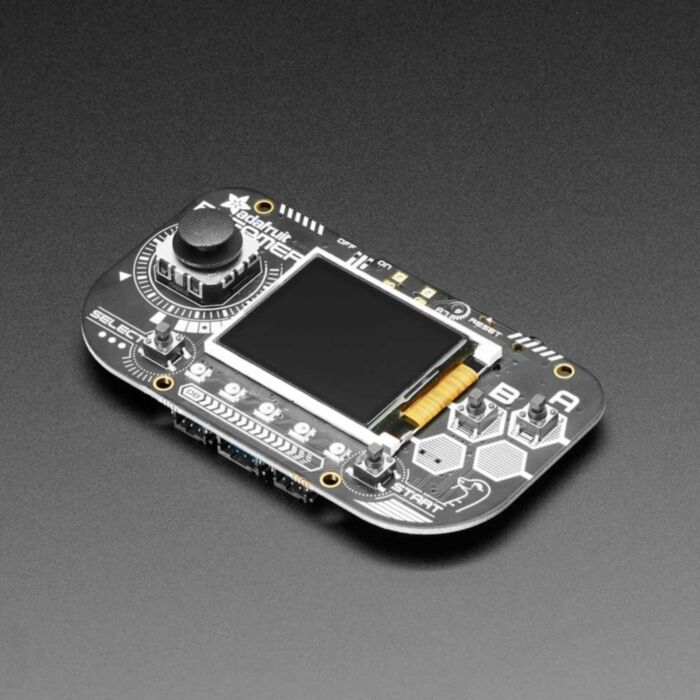
What's fits in your pocket, is fully Open Source and can run CircuitPython, MakeCode Arcade or Arduino games you write yourself? That's right, its the Adafruit PyGamer! Adafruit wanted to make an entry-level gaming handheld for DIY gaming, and maybe a little retro-emulation. It's not the fastest and best of everything but it is an all-in-one dev board with a lot of possibilities!
The PyGamer is powered by Adafruit's favorite chip, the ATSAMD51, with 512KB of flash and 192KB of RAM. Adafruit add 8 MB of QSPI flash for file storage, handy for images, fonts, sounds, or game assets.
On the front you get a 1.8" 160x128 color TFT display with dimmable backlight - Adafruit have fast DMA support for drawing so updates are incredibly fast. A dual-potentiometer analog stick gives you great control, with easy diagonal movement - or really any direction you like. There's also 6 square-top buttons, which fit Adafruit's square top button caps. The buttons are arranged to mimic a gaming handheld, with 2 menu-select buttons and 2 fire-action buttons. There's also 5 NeoPixel LEDs to dazzle or track activity.
On the back Adafruit have a full Feather-compatible header socket set, so you can plug in any FeatherWing to expand the capabilities of the PyGamer. There's also 3 STEMMA connectors - two 3-pin with ADC/PWM capability and one 4-pin that connects to I2C - you can use this for Grove sensors as well.
For built in sensors, there's a light sensor that points out the front, and a 3-axis accelerometer that can detect taps and free-fall. To make bleeps and bloops, plug in any set of stereo headphones. For projects where you need more volume, you can plug in one of Adafruit's 8 ohm speakers. The PyGamer will auto-switch to speakers when they're plugged in.
You can power the PyBadge from any of Adafruit's LiPoly batteries, but Adafruit like this 350mAh one which will fit into the acrylic case. An on-off switch will save battery power when not in use. Or power from the Micro USB port - it will also charge up the battery if one is attached.
Now, how to program it? Well you've got a lot of options!
- MakeCode Arcade is the easiest to start for making games, you can drag-and-drop blocks and load games over the disk-drive bootloader
- CircuitPython lets you draw graphics, play wave files and print out text in any fonts - all in Python! There's tons of sensor support as well.
- Arduino is low level, powerful, but a little more challenging. You can use Adafruit Arcada to interface with the hardware and it will abstract some of the nitty-gritty details like reading buttons for you.
Here's a list of everything you get
- ATSAMD51J19 @ 120MHz with 3.3V logic/power - 512KB of FLASH + 192KB of RAM
- 8 MB of QSPI Flash for storing images, sounds, animations, whatever!
- Micro SD Card Slot for storing even more stuff when the QSPI flash isn't enough
- 1.8" 160x128 Color TFT Display connected to its own SPI port
- 1 x Analog Thumbstick with X and Y analog inputs
- 6 x Game/Control Buttons with square tops
- 5 x NeoPixels for dazzle, or game score-keeping
- Triple-axis accelerometer (motion sensor)
- Light sensor, reverse-mount so that it points out the front
- Stereo headphone jack
- Mono Class-D speaker driver for 4-8 ohm speakers, up to 2 Watts
- LiPoly battery port with built in recharging capability
- USB port for battery charging, programming and debugging
- Two female header strips with Feather-compatible pinout so you can plug any FeatherWings in
- JST ports for NeoPixels, sensor input, and I2C (you can fit I2C Grove connectors in here)
- Reset button
- On-Off switch
This product is just the bare PCB! Button caps, acrylic case, speaker and battery are not included!
Technical Details
Product Dimensions: 101.6mm x 60.0mm x 19.5mm / 4.0" x 2.4" x 0.8"
Product Weight: 37.5g / 1.3oz
Exact shipping can be calculated on the view cart page (no login required).
Products that weigh more than 0.5 KG may cost more than what's shown (for example, test equipment, machines, >500mL liquids, etc).
We deliver Australia-wide with these options (depends on the final destination - you can get a quote on the view cart page):
- $3+ for Stamped Mail (typically 10+ business days, not tracked, only available on selected small items)
- $7+ for Standard Post (typically 6+ business days, tracked)
- $11+ for Express Post (typically 2+ business days, tracked)
- Pickup - Free! Only available to customers who live in the Newcastle region (must order online and only pickup after we email to notify you the order is ready). Orders placed after 2PM may not be ready until the following business day.
Non-metro addresses in WA, NT, SA & TAS can take 2+ days in addition to the above information.
Some batteries (such as LiPo) can't be shipped by Air. During checkout, Express Post and International Methods will not be an option if you have that type of battery in your shopping cart.
International Orders - the following rates are for New Zealand and will vary for other countries:
- $12+ for Pack and Track (3+ days, tracked)
- $16+ for Express International (2-5 days, tracked)
If you order lots of gear, the postage amount will increase based on the weight of your order.
Our physical address (here's a PDF which includes other key business details):
40 Aruma Place
Cardiff
NSW, 2285
Australia
Take a look at our customer service page if you have other questions such as "do we do purchase orders" (yes!) or "are prices GST inclusive" (yes they are!). We're here to help - get in touch with us to talk shop.
Have a product question? We're here to help!
Guides

PiicoDev Colour Sensor VEML6040 - Raspberry Pi Pico Guide

PiicoDev Colour Sensor VEML6040 - Raspberry Pi Guide

PiicoDev OLED Module SSD1306 - Raspberry Pi Pico Guide
Projects
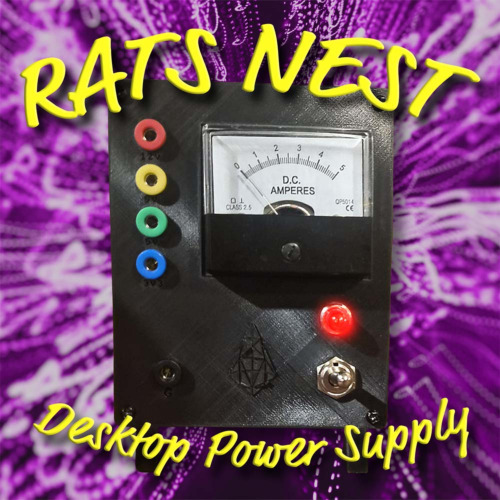
The Rats Nest VCC Desktop Power Supply
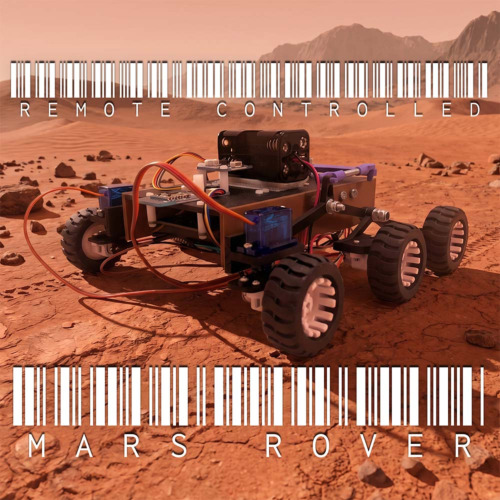
Remote-Controlled Mars Rover

FlipperMate: Hands-Free Pinball

Makers love reviews as much as you do, please follow this link to review the products you have purchased.
Product Comments