

This product is no longer available. This page is only for reference.
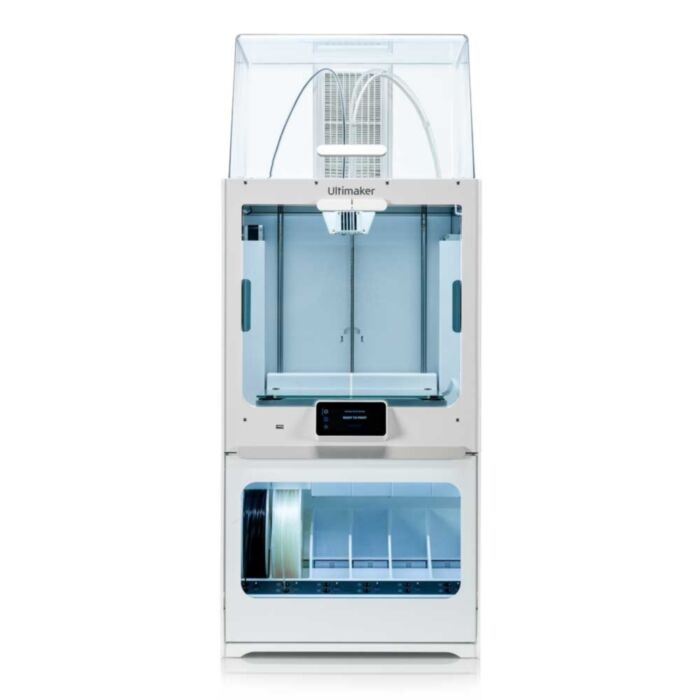
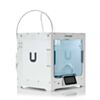
Scale up your ambition. The large build volume of the Ultimaker S5 not only lets you print bigger models – it allows you to put multiple parts on a single build plate. Meet demand, maximize efficiency, and enjoy better air quality and 24/7 productivity by combining the Ultimaker S5 with its Air Manager and Material Station.
Ultimaker S5
Scale up your ambition. The large build volume of the Ultimaker S5 not only lets you print bigger models – it allows you to put multiple parts on a single build plate. Meet demand, maximise efficiency, and enjoy better air quality and 24/7 productivity by combining the Ultimaker S5 with its Air Manager and Material Station.
See the main features below:
- Enhanced Reliability: Active bed leveling ensures a perfect first layer, a closed front controls airflow, and a filament flow sensor will pause your print and notify you if you run out of material. Trust the S5 to do its job while you do yours.
- Bigger Build Volume: A build volume of 330 x 240 x 300 mm (13 x 9.4 x 11.8 inches) gives even more freedom to realize your designs or print multiple parts in one go, so you can meet demand with maximum efficiency, while fitting comfortably on your desk.
- Fast Setup, High Uptime: With Ultimaker’s unique print core design, swap nozzles in seconds to switch between build and support materials, or choose from 0.8, 0.4, or 0.25 mm print cores for fast or detailed prints.
- Easy Touch Control: A 4.7-inch (11.9 cm) touch display makes operating the 3D printer effortless, displaying visual guides to explain configuration changes and maintenance, plus a visual preview of your print.
- Designed to Connect: The Ultimaker S5 auto-detects material and print core configuration, while over-the-air firmware upgrades make adding the latest features simple. Print over Wi-Fi, Ethernet, or from a USB stick, and monitor progress via the built-in camera.
- Stay Connected, Stay Productive: The Ultimaker app lets your monitor and control Ultimaker 3D printers from a mobile device and can even keep you updated with live notifications outside your local network.
- Comes with two rolls of filament; 1x Ultimaker Tough PLA (750g) - Color may vary, 1x Ultimaker PVA (750g)
Air Manager
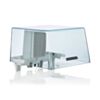
The Ultimaker S5 Air Manager provides a closed, inside-out airflow throughout the printing process. This leads to a better-controlled environment inside the build chamber and filters up to 95% of ultrafine particles created while printing. The result? A safer work environment and peace of mind when printing with a wider range of materials with an Ultimaker S5.
In short, these are the main features:
- EPA filter: Removes up to 95% of UFPs
- Controlled extraction: Inside-out airflow optimized for filtering and print quality
- Enhanced safety: Physical barrier prevents reaching inside the printer
- Optimized for your application: Detects material being used and adjusts airflow
- Easy setup: Printer detects when Air Manager is connected
- Smart monitoring: Printer tracks filter usage and prompts replacement
Material Station
Seamlessly integrating with the Ultimaker S5, the Material Station redefines filament storage and delivery, unlocking truly 24/7 dual extrusion. Inside the humidity-controlled chamber, six material spools can be loaded in any order with up to 4.5 kg of material. Each bay features automatic material switching, composite-ready feeder wheels, and filament flow sensors. Now you can achieve increased productivity, easier operation, and higher-quality production.
The main features are listed here:
- Fast and easy loading: Front-facing bay for up to six materials reduces loading time to a few seconds
- Uninterrupted printing: Sensors detect when one material spool ends and automatically loads the next
- Humidity control: Intelligent atmospheric management keeps relative humidity below 40%
- Easy setup and monitoring: NFC material auto-recognition and seamless integration with Ultimaker software
- Composite materials compatible: Print parts with high strength and unique properties
- Limitless configurations: Keep your most-used materials ready to print when you need – Ultimaker and third-party filaments
Shipping:
- Courier delivery (heavy/oversized item), price shown at checkout
- FREE Pickup (Newcastle only)
Exact shipping can be calculated on the view cart page.
Videos
View AllGuides

Make 3D Prints Look Like Gold - Gold Leaf and 3D Printed Components

3D Printable Charging Docks For 8BitDo Controllers

Make 3D Prints Look Like Chrome and Steel - Metallic Paints and Finishes For 3D Prints
3D Printing Better Print-in-Place Mechanisms
Projects
Concrete Lamp
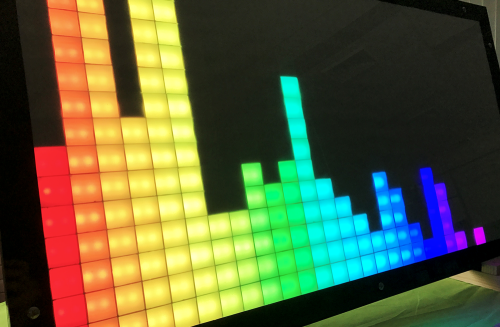
HUGE LED Pixel Panel
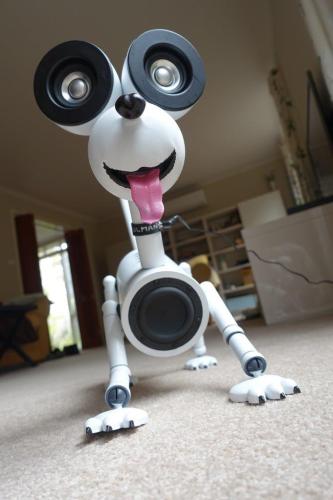
Meet 'Holman' the Ultimate Bluetooth Speaker
Educational Workshops
3D Printing (FFF) Workshop

Makers love reviews as much as you do, please follow this link to review the products you have purchased.
Product Comments