
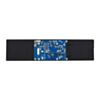
11.9inch DSI Capacitive Touch Display (320×1480, IPS Panel)
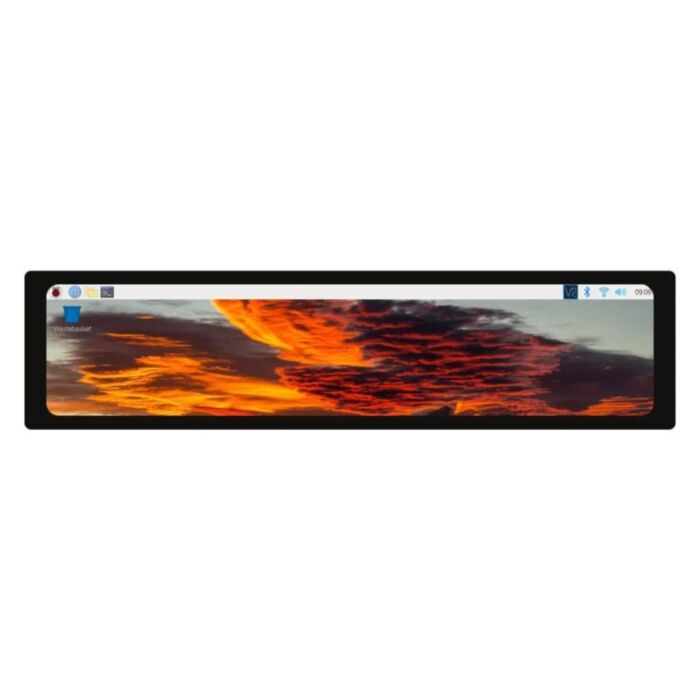
A letterbox-shaped touch bar that puts a Raspberry Pi control panel in spots a regular monitor can't fit.
Available with a lead time
Expect dispatch between Nov 09 and Nov 16
Nearly 29cm wide and only 7cm tall, this IPS touchscreen gives a Raspberry Pi a long, slim strip of screen for dashboards, status readouts and control panels.
Video runs over the Raspberry Pi's DSI connector instead of the GPIO bus, unlike SPI or DPI panels. On Bookworm and Bullseye there's no driver to download — two overlay lines in config.txt bring up both the display and touch.
The panel is portrait by default at 320 × 1480. Rotate it in software for a 1480 × 320 landscape bar. On Bookworm, Screen Configuration rotates display and touch together. The 170° IPS viewing angle keeps the image readable when the screen is mounted off-axis.
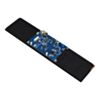
Your Raspberry Pi mounts back-down on the standoffs of the driver board behind the screen, so the two form one unit. The box includes two 15-pin cables (50mm and 160mm) for the Raspberry Pi 4B and 3-series, plus a 120mm DSI cable for the 22-pin DSI port on the Raspberry Pi 5 and Compute Modules.
Features
Fits wide, shallow spaces where a standard screen won't, thanks to its long strip format
Smooth updates for live gauges and readouts, with refresh rates up to 60Hz
Simple setup on Bookworm and Bullseye using the built-in
vc4-kms-dsi-waveshare-paneloverlay. Legacy Buster is supported through Waveshare's driverChoice of touch behaviour on Bookworm: mouse emulation (tap, long-press right-click, double-click) by default, or full multitouch for swipes and gestures
5-point capacitive touch over I2C, with a selector to move it between I2C0 and I2C1 if another device needs the bus
6H toughened glass cover that stands up to fingers, styluses and day-to-day handling
Dim the backlight from software for night-time or kiosk use
Mounts as one unit: the Raspberry Pi sits on the driver board's four standoffs, and a PH2.0 4-pin cable carries 5V and I2C
Power it your way: 5V through the PH2.0 cable or a separate USB-C supply
One screen across Raspberry Pi generations, from the 3-series to the Raspberry Pi 5 and Compute Modules (CM3, CM3+ and CM4 need an extra adapter board)
Specifications
Property | Specification |
|---|---|
Screen size | 11.9" diagonal |
Resolution | 320 × 1480 (H × V, portrait native) |
Display panel | IPS |
Display interface | MIPI DSI, 2-lane |
Refresh rate | Up to 60Hz |
Viewing angle | 170° |
Touch type | Capacitive, 5-point |
Touch interface | I2C (I2C0 or I2C1 selectable) |
Cover glass | 6H hardness toughened glass |
Backlight control | Software adjustable |
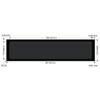
Active area | 268.18 × 57.98mm |
Outline dimensions | 287.30 × 69.80mm |
Power input | 5V (4.75–5.30V) via USB-C or PH2.0 4-pin cable |
Input current | 0.5A minimum |
Connectors | 15-pin DSI FPC, PH2.0 4-pin (communication/power), USB-C power input, 5V output header |
Operating temperature | 0 to 60°C |
Storage temperature | -10 to 70°C |
Supported OS | Raspberry Pi OS Bookworm, Bullseye, Buster |
Compatibility | Raspberry Pi 5, CM5, 4B, CM4, 3B+, 3A+, 3B, CM3+, CM3 (CM3, CM3+ and CM4 need an extra adapter board) |
Resources
What's Included
1x 11.9inch DSI LCD display module
1x DSI cable, 120mm, for the 22-pin DSI port on Raspberry Pi 5 / Compute Modules
1x FPC cable, 15-pin 1.0mm pitch, 50mm, opposite sides
1x FPC cable, 15-pin 1.0mm pitch, 160mm, opposite sides
1x PH2.0 4-pin cable, 200mm
1x Screw pack
Exact shipping can be calculated on the view cart page (no login required).
Products that weigh more than 0.5 KG may cost more than what's shown (for example, test equipment, machines, >500mL liquids, etc).
We deliver Australia-wide with these options (depends on the final destination - you can get a quote on the view cart page):
- $3+ for Stamped Mail (typically 10+ business days, not tracked, only available on selected small items)
- $7+ for Standard Post (typically 6+ business days, tracked)
- $11+ for Express Post (typically 2+ business days, tracked)
- Pickup - Free! Only available to customers who live in the Newcastle region (must order online and only pickup after we email to notify you the order is ready). Orders placed after 2PM may not be ready until the following business day.
Non-metro addresses in WA, NT, SA & TAS can take 2+ days in addition to the above information.
Some batteries (such as LiPo) can't be shipped by Air. During checkout, Express Post and International Methods will not be an option if you have that type of battery in your shopping cart.
International Orders - the following rates are for New Zealand and will vary for other countries:
- $12+ for Pack and Track (3+ days, tracked)
- $16+ for Express International (2-5 days, tracked)
If you order lots of gear, the postage amount will increase based on the weight of your order.
Our physical address (here's a PDF which includes other key business details):
40 Aruma Place
Cardiff
NSW, 2285
Australia
Take a look at our customer service page if you have other questions such as "do we do purchase orders" (yes!) or "are prices GST inclusive" (yes they are!). We're here to help - get in touch with us to talk shop.
Have a product question? We're here to help!
 Super Scissors - PH-51SKU: ADA1599 Brand: Engineer ToolsSave your scissors! Instead of using your nice shears (and dulling them) or wire ...
- PiicoDev LiPo Expansion Board for Raspberry Pi PicoSKU: CE07693 Brand: PiicoDev
The PiicoDev® LiPo Expansion Board for Raspberry Pi Pico is a great way to s ...
- PiicoDev Expansion Board for Pico (Non-Recharging)SKU: CE08677 Brand: PiicoDev
Start experimenting with high-tech sensors and modules with Raspberry Pi Pico ...
- ESP32-S3 Mini Development BoardSKU: WS-25081 Brand: WaveshareESP32-S3 Mini Development Board, Based on ESP32-S3FH4R2 Dual-Core Processor, 240 ...


Videos
View AllGuides
How to Set Up a Raspberry Pi Kiosk - Launch a Fullscreen Webpage on Boot!
Raspberry Pi 5 Vs Raspberry Pi 4 Model B | Comparison & Benchmarking
Raspberry Pi 5 | Review, Performance & Benchmarks
DFRobot 8.9 Inch 1920x1200 IPS Touch Display For Raspberry Pi - Set Up Guide
Projects
Raspberry Pi Game Show
ESP32 IR-Triggered Camera with Home Assistant Integration

Rain Gauge Data Logger
Educational Workshops
Raspberry Pi Workshop for Beginners

Makers love reviews as much as you do, please follow this link to review the products you have purchased.
Product Comments