
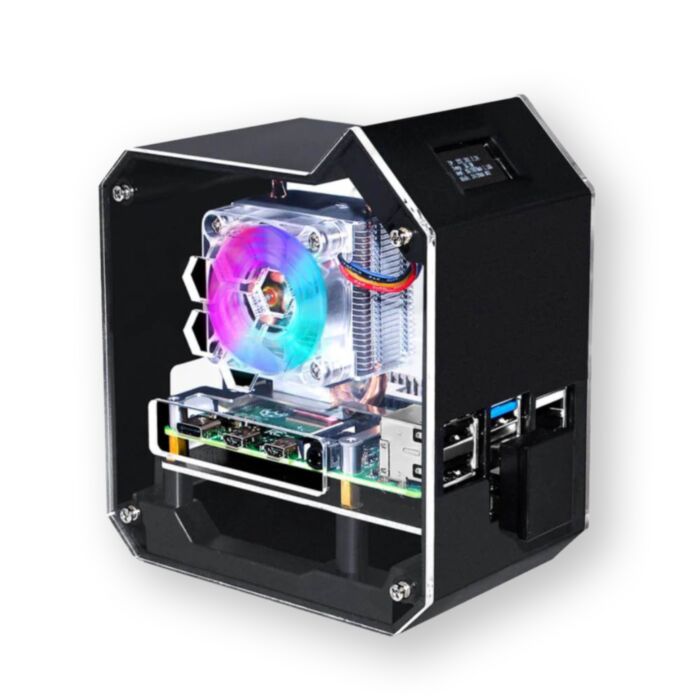
Mini Tower NAS Kit for Raspberry Pi 4B
Turn a Raspberry Pi 4B into a gorgeous pocket-sized desktop machine with real SSD storage, active cooling and a live status display.
In stock, ships same business day if ordered before 2PM
Fastest delivery: Tomorrow*
Disclaimer:
For next-day delivery, the shipping address must
be in the AusPost next-day network, eParcel Express must be selected, and the order must be placed
before 2PM AEST Mon-Thurs excluding NSW Public Holidays. Orders may be delayed due to AusPost
pickup timings and order verifications. eParcel Express is typically a 1-day service within the
AusPost next-day network, though it is sometimes 2+ days.
A microSD card was never built to be a server's boot drive, and that is exactly what holds most home Raspberry Pi projects back. Swapping it for an M.2 SATA SSD over USB 3.0 lifts sustained transfer to around 272MB/s and gives you a drive that will survive years of constant writes and uptime.
Everything needed to make that swap sits in one moulded ABS enclosure: an M.2 SATA adapter board that draws up to 5V@3A from the Pi's GPIO through spring-loaded pogo pins, a low-profile ICE Tower cooler to keep the CPU away from its thermal ceiling, and a 0.96" OLED on the front panel for live temperature, IP address and disk stats.
Assembly is screwdriver-only and the acrylic side panels come away for access, so the Pi stays serviceable. Drivers for the OLED and the WS281X fan and mood lighting install from a single script on 52Pi's GitHub repository, and pre-built 64-bit Raspberry Pi OS images are published on the vendor wiki if you would rather not configure anything by hand.
One compatibility point worth reading twice: the adapter is M.2 SATA B-Key only, up to 2TB. NVMe drives will not work in this kit.
Features
- Sustained transfer up to 272MB/s over USB 3.0 - roughly an order of magnitude past a good microSD card
- Boots directly from the SSD, so the microSD card can be retired entirely once you have migrated.
- Low-profile ICE Tower cooler holds the 4B's CPU below its throttling point under the sustained load a file server generates.
- 0.96" 128 x 64 OLED on the front panel (I2C, address 0x3C) — drive it with luma. Examples to show CPU temperature, load, IP address or disk usage.
- Programmable WS281X RGB fan and mood lighting on GPIO18, controllable from rpi_ws281x or left running the default cycle.
- Disk-activity LED indicator, so you can see the drive working at a glance.
- Moulded ABS shell with removable acrylic side panels - consistent panel fit and full access to the Pi without dismantling the tower.
- GPIO 1-to-2 edge expansion board keeps a header available after the OLED and lighting are connected.
- The adapter board is powered from the Pi's GPIO through pogo pins, so there is no second power lead to run.
Specifications
| Property | Specification |
|---|---|
| Compatible Pi | Raspberry Pi 4 Model B (not included) |
| Storage interface | M.2 SATA SSD, B-Key, 2280 |
| Maximum capacity | 2TB |
| NVMe support | Not supported |
| Host connection | USB 3.0 |
| Transfer speed | Up to 272MB/s |
| SATA bridge | ASMedia ASM1051E / ASM1053E / ASM1153 / ASM1153E |
| Boot from SSD | Supported by the Pi itself |
| Display | 0.96" OLED, 128 x 64, I2C address 0x3C |
| Cooling | Low-profile ICE Tower cooler with RGB fan |
| Adapter board power | 5V @ 3A via GPIO pogo pins |
| Recommended supply | 5V / 3A (not included) |
| Case material | ABS with acrylic side panels |
Resources
What's Included
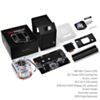
- 1x ABS mini tower case
- 1x ICE Tower CPU cooler with RGB fan
- 2x acrylic side panels
- 1x 0.96" OLED display, pre-mounted to the front panel
- 1x GPIO 1-to-2 edge expansion board
- 1x M.2 SATA SSD adapter board
- 1x assembly manual
The Raspberry Pi 4B, M.2 SATA SSD, microSD card and power supply are not included.
Exact shipping can be calculated on the view cart page (no login required).
Products that weigh more than 0.5 KG may cost more than what's shown (for example, test equipment, machines, >500mL liquids, etc).
We deliver Australia-wide with these options (depends on the final destination - you can get a quote on the view cart page):
- $3+ for Stamped Mail (typically 10+ business days, not tracked, only available on selected small items)
- $7+ for Standard Post (typically 6+ business days, tracked)
- $11+ for Express Post (typically 2+ business days, tracked)
- Pickup - Free! Only available to customers who live in the Newcastle region (must order online and only pickup after we email to notify you the order is ready). Orders placed after 2PM may not be ready until the following business day.
Non-metro addresses in WA, NT, SA & TAS can take 2+ days in addition to the above information.
Some batteries (such as LiPo) can't be shipped by Air. During checkout, Express Post and International Methods will not be an option if you have that type of battery in your shopping cart.
International Orders - the following rates are for New Zealand and will vary for other countries:
- $12+ for Pack and Track (3+ days, tracked)
- $16+ for Express International (2-5 days, tracked)
If you order lots of gear, the postage amount will increase based on the weight of your order.
Our physical address (here's a PDF which includes other key business details):
40 Aruma Place
Cardiff
NSW, 2285
Australia
Take a look at our customer service page if you have other questions such as "do we do purchase orders" (yes!) or "are prices GST inclusive" (yes they are!). We're here to help - get in touch with us to talk shop.
Have a product question? We're here to help!
 Argon ONE M.2 SATA Case for the Raspberry Pi 4SKU: CE07434 Brand: Argon40The NEW Argon ONE case ups the ante with extended support for M.2 SATA SSD's whi ...
- Raspberry Pi 5 Model B 8GBSKU: CE09786 Brand: Raspberry Pi
The 8GB Raspberry Pi 5 is the latest powerhouse in the Raspberry Pi lineup. I ...
- SSD Base Enclosure for Argon ONE CasesSKU: TPH-068 Brand: The Pi HutThis SSD base enclosure for Argon ONE Raspberry Pi cases allows you to fit a 2.5 ...
- Raspberry Pi 4 Model B 2GBSKU: CE06424 Brand: Raspberry Pi
The 2GB variant of the Raspberry Pi 4 Model B.


Videos
View AllGuides
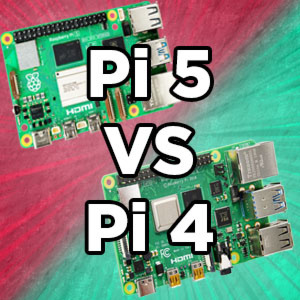
Raspberry Pi 5 Vs Raspberry Pi 4 Model B | Comparison & Benchmarking

Raspberry Pi 5 | Review, Performance & Benchmarks

Safe Shut Down Button With Argon ONE Case For Raspberry Pi

3D Printable VESA Mount for Argon One Case And M.2 Case
Projects
ESP32 IR-Triggered Camera with Home Assistant Integration

Raspberry Pi Rain Radar and Weather Display

Rain Gauge Data Logger
Educational Workshops

Raspberry Pi Workshop for Beginners

Makers love reviews as much as you do, please follow this link to review the products you have purchased.
Product Comments