
Related Content

Transcript
G'day, we're going to make this little mood light project. I've just got this piece of plastic covering the rainbow. Hopefully you can see that a bit better. Every time I press a button, a new colour appears on the rainbow at random. This project's all about experimenting with random numbers and seeing how they can mix colors together.
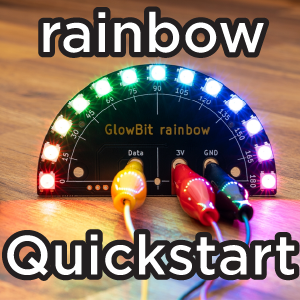
Let's get started. We'll start by wiring our rainbow to our micro bit. I'll use black for ground, ground on the Micro:Bit, ground on the rainbow, red for three volts, and yellow for data. That's pin zero on the Micro:bit and data on the rainbow.
Connect your Micro:bit to your computer with a USB lead. In your browser, navigate to python.MicroBit.org, and this is the default project. I'm just going to remove that code and import NeoPixel. BlowBit is compatible with the NeoPixel driver library. We'll also import the rand int function from random. This will allow us to generate random integers or whole numbers.
So when a button is pressed, we want to generate random values for red, green, and blue, and assign them to all the LEDs on the rainbow. So we'll first check for a button press. If button underscore a was pressed. And we'll have it work with both buttons. So we can say or button b was pressed.
Now we can create a random value for red, green, and blue. We'll make a variable called red. And say a random integer between zero and 60. I'm choosing 60 here so that it's not too bright. I'm only running my Micro:bit off USB power. If you have battery power available, then you can run this as bright as you want. So you could choose zero to 255. Green, zero to 60. Blue, zero to 60.
We've created our three random numbers, so now we need to combine those colors and assign it to every LED.Means we need a loop. For index I in range 13, because there are 13 LEDs, I need to define my rainbow to write to it.
Rainbow equals neopixel, neopixel. We're on pin zero, and we have 13 LEDs.
So now in my loop, we can say rainbow I equals red, green, blue. So we're stepping through every LED from zero to 12, and we're assigning the colors, our colour combination to that LED.
And then after that loop, we can say rainbow dot show.
Then the last thing we'll do in our main loop is to just sleep for 100 milliseconds.
Connect to your Micro:bit and flash.
When I press the button, we should have a sequence of new random colors. I'll just cover it with this piece of semi-opaque plastic, so maybe you can see those colors a bit better. I've got like a nice orange, a cool white, and every time I press either button A or button B, we get a new color. Beautiful.
So there you have it, a useful bit of code for generating some random colors. If you build upon this and make something cool or make a cool project, we'd love to see it and hear from you over at the Core Electronics forums.
I'll see you in the next project.

Makers love reviews as much as you do, please follow this link to review the products you have purchased.